Section 1
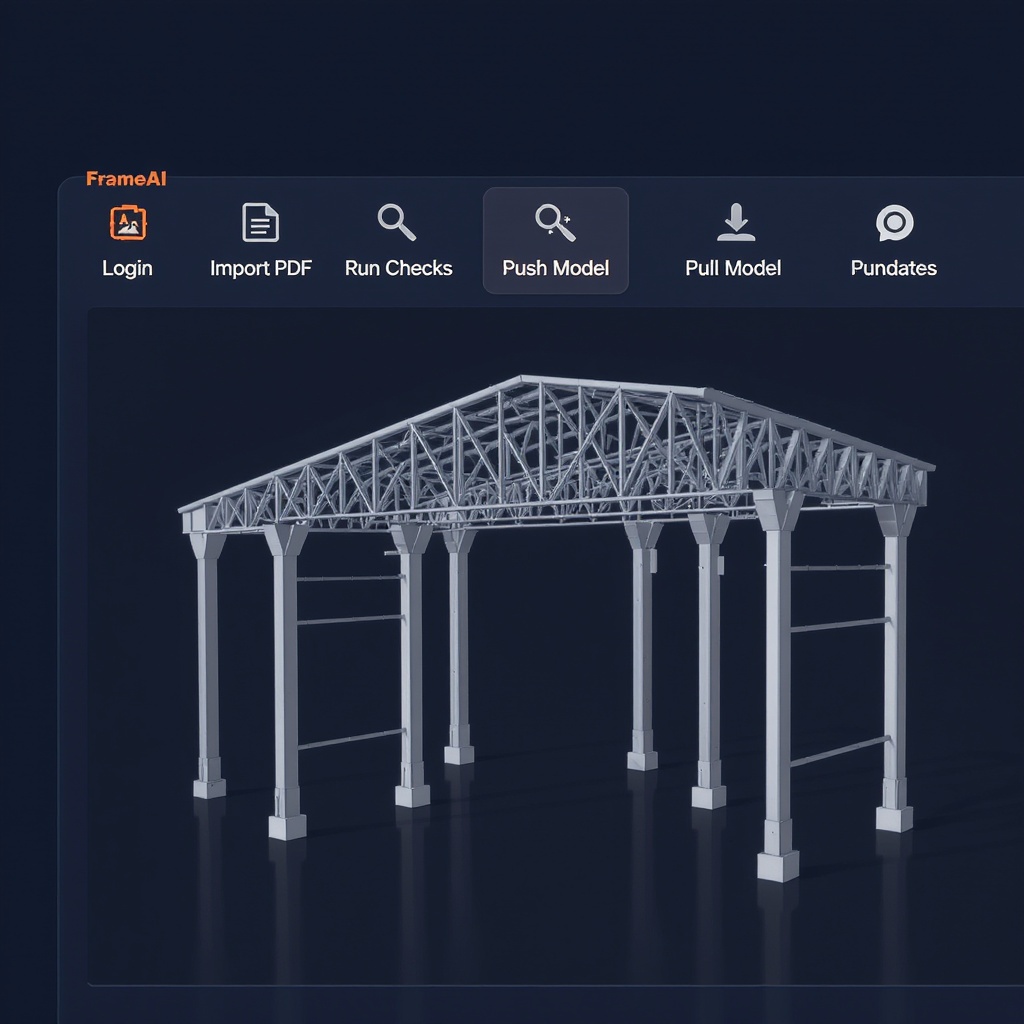
Five buttons on your ribbon
FrameAI
Tekla Structures 2024 — FrameAI v0.1
Login
API key auth
First run only — prompts for your FrameAI key, stored locally. Model data never leaves except what you explicitly send.
Import PDF
PDF → native model
Select a structural PDF. FrameAI extracts member schedule, creates Tekla objects with correct profiles and positions.
Run Checks
Eurocode inline
Selected bolt group or beam → EN 1993-1-8/1-1 result docked next to your model. Utilization bar + governing clause.
Push Model
IFC → FrameAI project
Exports current model as IFC4, uploads to your FrameAI project. Full pipeline (connections, shop drawings) runs automatically.
Pull Updates
Night Shift → ribbon
Overnight revisions computed by Night Shift are pulled back into your open model — no manual re-import.
Section 2
Install in 30 seconds
1
Download MSI
Click "Download plugin" above. Signed Authenticode MSI — Windows SmartScreen will clear it automatically.
2
Double-click installer
Next → Next → Install. Places the .dll in Tekla's plugin directory. No admin rights needed if Tekla is user-installed.
3
Enter API key
Restart Tekla. First click on any FrameAI button prompts for your key — generate one at /settings#api-keys.
4
Ribbon appears
The FrameAI tab is live in your Tekla ribbon. Select any beam and click Run Checks — result in <3 seconds.
Full install guide at
/docs/tekla-plugin — covers SmartScreen, .NET 4.8 prereq, multi-user Tekla environments, and proxy config. Watch the demo at
/demo.
Section 3
What it does inside Tekla
📐
PDF → native Tekla model
GPT-4o vision extracts member schedule from your PDF drawing set. FrameAI creates beams, columns, and connections as native Tekla objects with correct EN 10365 profiles and positions. No manual re-entry.
🔩
Auto-connection design
EN 1993-1-8 v2 endplate moment connection, bolt schedule, and fillet weld sizing auto-generated. Bolt class escalation 8.8 → 10.9 → 12.9, diameter escalation M24 → M30. Joint detail PDF auto-included in shop drawing set.
📋
Eurocode check report inline
Select any member and click Run Checks. EN 1993-1-1 §6.2/§6.3 cross-section class, buckling resistance, utilization ratio — shown in a docked panel next to your model with governing clause reference.
🌙
Push Night Shift revisions
Night Shift recomputes your model overnight. Pull Updates brings those revisions back into your open Tekla model — positions, profiles, connection data updated automatically.
Section 4
Compatibility
Tekla Structures
2022, 2023, 2024
Runtime
.NET Framework 4.8
Internet
Required for checks
2025 support
Beta (Q3 2026)
Section 5
EN 1993-1-8 v2 — Connection Design
Full bolt-to-weld connection design, auto-escalating
Every FrameAI connection check follows the complete §3 → §6 chain — no intermediate skips. When utilization exceeds 1.0, the engine escalates automatically.
Bolt class escalation
8.8 → 10.9 → 12.9 automatic. If Grade 12.9 still fails, diameter escalation M24 → M30 is tried. Full escalation log included in the check report.
Weld sizing per §4.5.3
Flange and web fillet welds auto-sized. Min 3 mm, max 0.7×tmin, §4.5.3.2/3.3 compliance enforced. BCSA Green Book verified.
Block shear + bearing
§3.10.2 block shear, §3.6.1 bearing, §3.6.1(10) tension — all computed and reported with governing failure mode identified.
Joint detail PDF
A4 joint detail page auto-included in your shop drawing set: bolt schedule, weld schedule, utilization bar, classification badge, elevation sketch.
Section 6
Compared to manual Tekla modeling
| Output |
Manual modeling |
FrameAI plugin |
| Member schedule from PDF |
1–4 hours, copy-paste error-prone |
~3 minutes, vision extraction |
| EN 1993-1-8 connection design |
Spreadsheet, separate from model |
Inline, bolt-to-weld auto |
| Shop drawing set |
Manual dimensioning, hours per job |
Auto-generated, DXF + PDF |
| Overnight revision recheck |
Not possible |
Night Shift, zero effort |
| Copy-paste errors |
Common — profile, load transposition |
Zero — pipeline is automated |
| Speed vs manual |
Baseline |
~50× faster per project |
Section 7
System requirements & installer verification
Tekla Structures
2022, 2023, or 2024 (64-bit)
OS
Windows 10 (64-bit) or Windows 11
Runtime
.NET Framework 4.8 (pre-installed on Win 10/11)
API SDK
Tekla Open API (C#) — bundled in MSI, no separate install
Network
HTTPS outbound to frameai-structural.polsia.app (port 443)
Installer file
FrameAI-Tekla-v0.1.msi
Code signing
Authenticode — publisher: FrameAI. Verify in Windows: right-click MSI → Properties → Digital Signatures tab.
SHA-256 hash
Published on download page — verify with Get-FileHash FrameAI-Tekla-v0.1.msi in PowerShell
Start today — 30-second install
paid plan includes the plugin. No separate license fee. Cancel any time.